Thank you for the insight, @zsdc! That’s definitely something I wasn’t aware of.
So in a nutshell, if the hypervisor (Proxmox, in this case) uses locally administered addresses (LAAs) instead of universally administered addresses (UAAs) from a registered Organizationally Unique Identifier (OUI) for VM interfaces, VyOS will not add those interfaces to the configuration by default.
To work around this, you have to do one of two things:
- Manually add each LAA interface to the configuration
- Change the LAA prefix of the auto-generated MAC address to use an OUI and (ideally) have the hypervisor use that OUI to generate UAAs in the future
I did some more digging with this insight while trying to figure out why VyOS does generate interfaces on VirtualBox and VMware, and it’s because they own OUIs that generate UAAs. So with this, I changed the default MAC address prefix for Proxmox to use the VMware OUI 00:50:56 and now it works as expected:
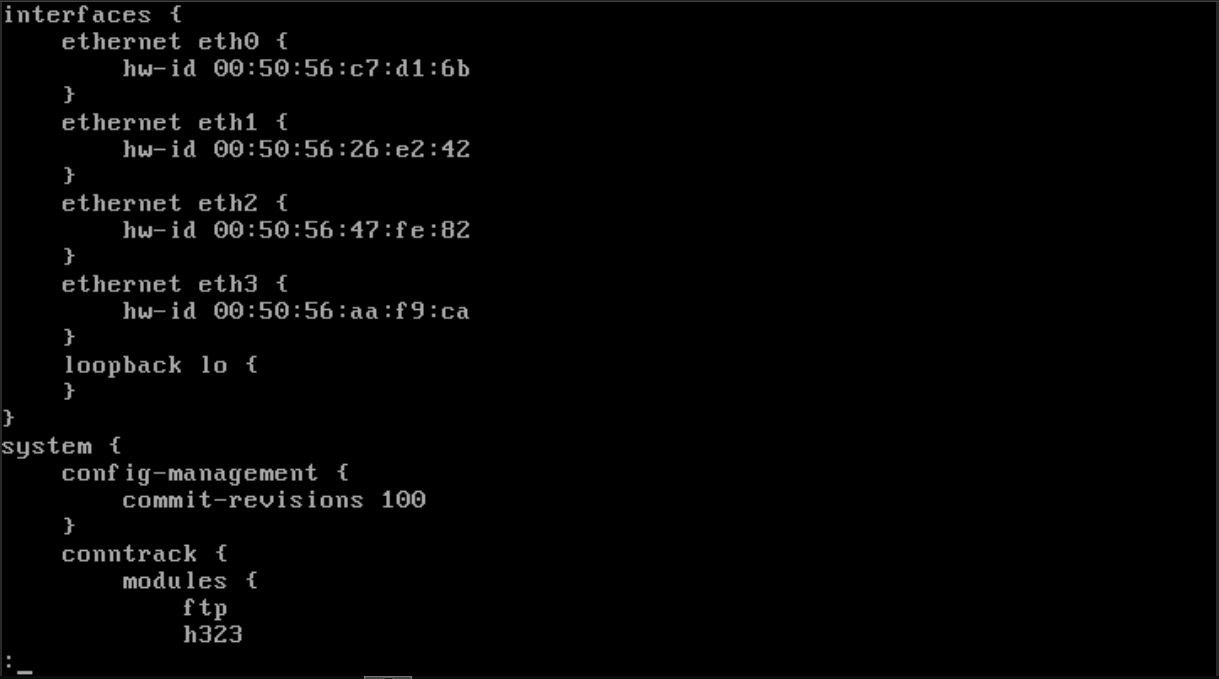
So to answer your question, @zsdc, it’s definitely not a real issue, more of a potential stumbling block for new users that could become confused while trying to configure their VyOS VMs. Would it be possible to add a step to the installer to ask whether to add the LAA interfaces to the config? Why would VyOS really care if the interfaces are LAA or UAA?
That was a fun and educational troubleshoot, so thanks for enlightening me. I’m working on some VyOS virtualization home lab documentation, and I’ll share that when it’s done. I’ll also see where in the official docs we could make note of this, as well.