I have the following config on eth1 of my vyos 1.5 VM (proxmox 9) :
set interfaces ethernet eth1 address ‘dhcp’
set interfaces ethernet eth1 description ‘ISP 1200/120 Mbit’
set interfaces ethernet eth1 hw-id ‘02:25:25:00:00:01’
set interfaces ethernet eth1 ip adjust-mss ‘1300’
set interfaces ethernet eth1 ipv6 disable-forwarding
set interfaces ethernet eth1 mac ‘02:25:25:00:00:01’
this works as expected.
sometimes the vm reboots without any information why.
up till now i have not found a reason why. (spent many ourson it)
i have a totally of 3 vyos VM’s in my lab and only this VM has the reboot issue.
When the system crashes and reboots it will take about 2 minutes and everything is working again smoothly.
However sometimes the assigned IP address changes. This is not ok in my situation and I have no control on the DHCP SERVER from my ISP. (The normal lease time is 1 week).
With tcpdump (and logs) i see that after every reboot the system will always do a DHCP RELEASE and 1 minute later it willl do a DHCP DISCOVER and get’s in most cases the old IP address back.
But sometimes not …
I wonder is there any way to suppress or block the DHCP RELEASE message ?
I don’t think so, not without hacking at the DHCP client code.
Really you want to do one of two things
Understand why the system is crashing! Can you setup syslog? Setup serial console and log all messages? Really a Linux kernel should not be crashing and rebooting!
Get a static/fixed IP from your provider.
Option 1 is the thing I’d be focusing on, an unstable router is a headache causing machine!
thanks for reply,
I agree (1) is the best way to go as (2) is not an option here.
in syslog I dont’s see any suspect issue happening. It just reboots (like somebody hit the reset switch)
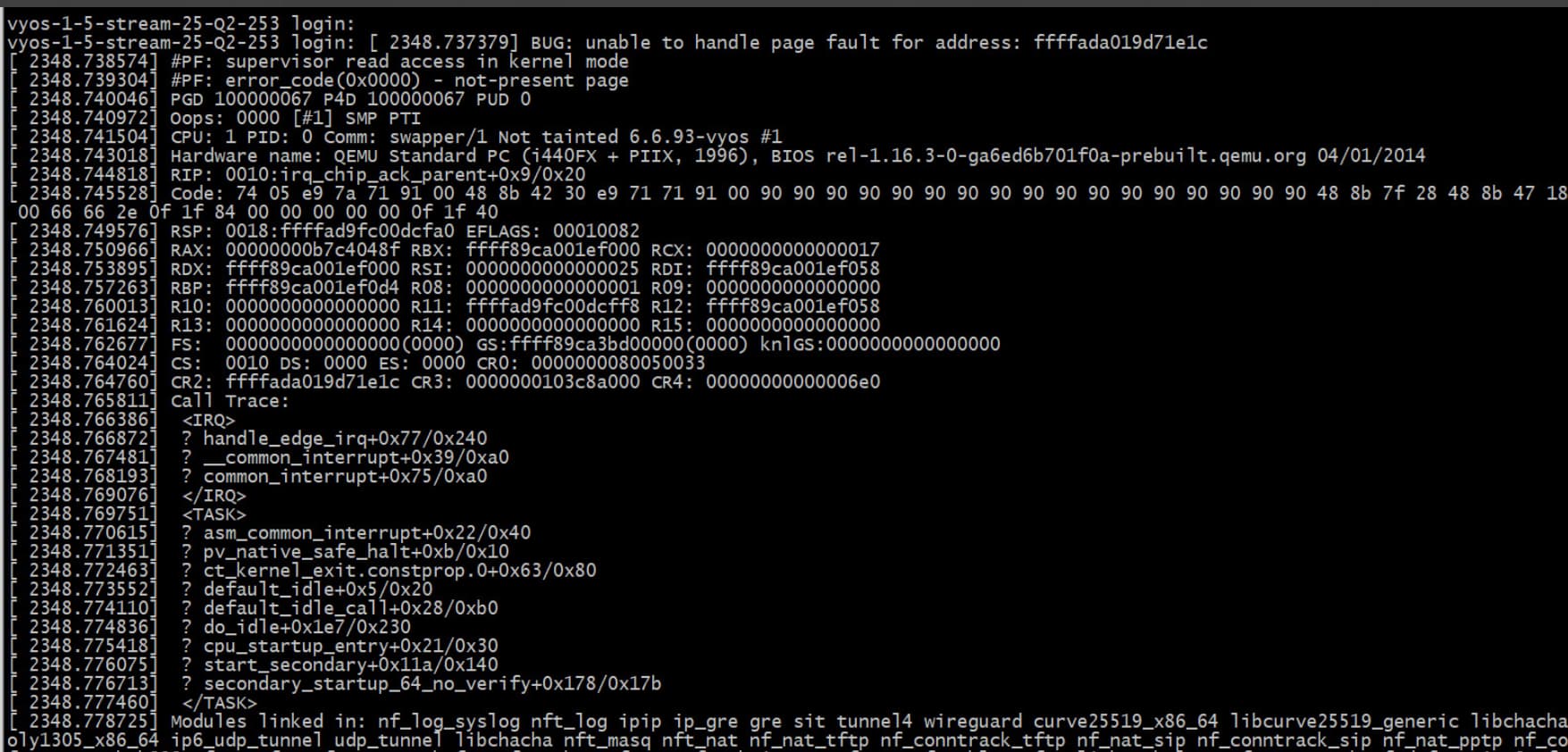
With a serial console i have once catched the issue (see screen shot).
It is realy a panic (Oops) As far as I it understand something goes wrong during interrupt handling.
(unable to handle page fault for address ffffada….)
For me this smells in the direction of a hardware issue. But i have 2 VYOS routers running im my 2 node proxmox cluster lab.(Vyos VM1 is the suspect router, vyos VM2 is a sort of backup router)
The issue happens in both proxmox nodes with this vyos VM1. The other vyos VM2 has never crashed in more then 2 years of operation. (Both routers sent a e-mail after a boot)
VYOS VM2 is running as a sort of backup router with VRRP / BGP / BFD recovery mechanisms. The main difference is that VYOS VM2 does not use DHCP but has fixed internet access.
I have tested with several rolling releases, stream-Q1, stream-Q2 and self build images (docker). The last one I prefer because i can then generate a QEMU taste. Also all other LXC’s and VM’s in this cluster are running stable as a rock. I have never seen unexplained reboots.
SOLUTION:
For those who run into the same situation:
My cluster contains 2 nodes with the following cpu’s:
node_1 : Intel(R) Pentium(R) Silver N6005 @ 2.00GHz
node_2 : Intel(R) Celeron(R) N5105 @ 2.00GHz
Both cpu’s used level 0x24000023 firmware
After upgrading to cpu firmware level 0x24000026 the problem disapeared completely.
As the cluster is running proxmox (based on debian 13) the firmware update was done with:
apt install intel-microcode
and checked with:
cat /proc/cpuinfo | grep microcode
microcode : 0x24000026
microcode : 0x24000026
microcode : 0x24000026
microcode : 0x24000026
Vyos VM is now stable as a rock